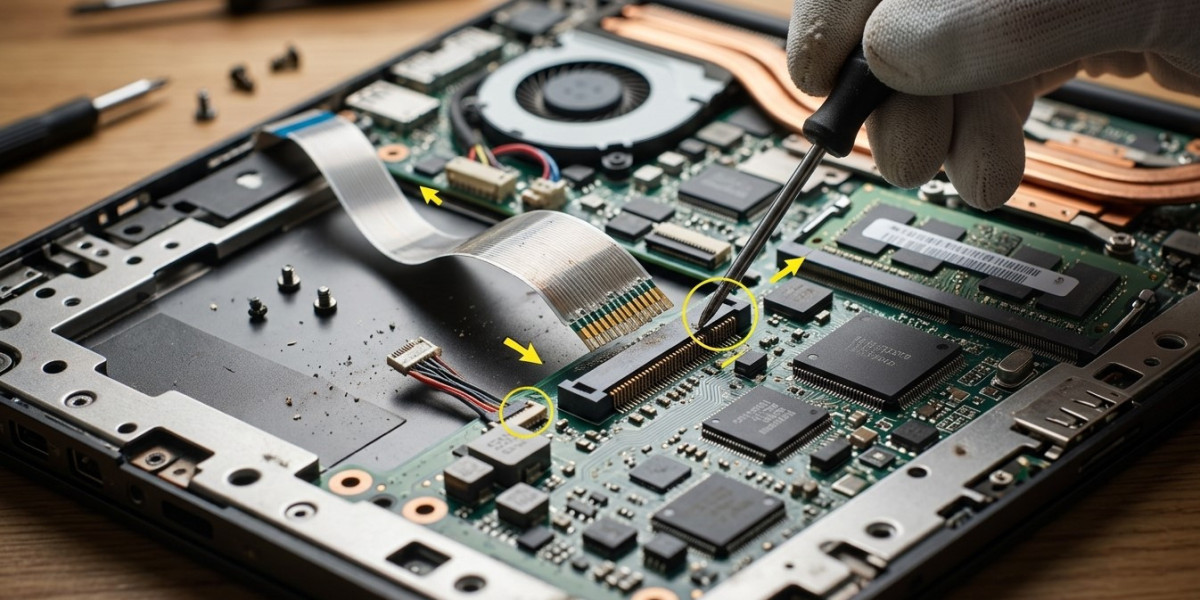

A laptop that works perfectly one moment and suddenly stops responding the next may have an intermittent hardware problem. One often-overlooked cause is a loose internal component or connection. Vibrations, accidental drops, repeated opening and closing, heat expansion, and regular use can gradually affect internal connections. At iPC Repair Houston, technicians can inspect these issues before they develop into more serious failures. A detailed internal connection inspection can also uncover problems affecting display cables, charging components, memory, and other hardware. If loose connections are causing display symptoms, professional laptop screen repair Houston or screen repair Houston TX services may be necessary to restore reliable operation.
What Are Loose Laptop Components?
Inside a laptop, numerous components must remain securely connected for the system to operate correctly. These include RAM modules, storage drives, display cables, battery connectors, Wi-Fi cards, speakers, cooling fans, and motherboard connections.
A connection does not always need to be completely disconnected to cause trouble. Even a slightly loose connector can create an intermittent electrical connection.
This means the laptop may work normally for several hours before suddenly experiencing a malfunction.
1. Display Cables Can Become Loose
One of the most common examples involves the cable connecting the motherboard to the laptop display.
Because the display assembly is opened and closed frequently, the cable running through the hinge area experiences repeated movement. Over time, this can cause the connection to loosen or the cable itself to become damaged.
Possible symptoms include:
- Screen flickering
- Intermittent blackouts
- Lines across the display
- Display distortion
- Screen turning off when the lid moves
If these symptoms occur when adjusting the lid, the display connection should be inspected. Professional laptop screen repair Houston services can help identify whether the problem involves the screen panel, cable, connector, or another component.
2. Loose RAM Can Cause System Instability
Random-access memory must maintain a stable connection with the motherboard. If a memory module becomes loose or its contacts become dirty, the laptop may experience unpredictable behavior.
Potential symptoms include:
- Random crashes
- Freezing
- Failure to boot
- Blue-screen errors
- Application failures
- Unexpected restarts
Memory problems can sometimes appear inconsistent, making them difficult to diagnose without proper testing.
A technician can remove, inspect, reseat, and test the memory to determine whether the connection is responsible.
3. Storage Connections May Become Unreliable
A loose storage connection can create serious problems because the operating system depends on continuous access to the SSD or hard drive.
Possible warning signs include:
- Slow system performance
- Files becoming inaccessible
- Operating system errors
- Unexpected freezes
- Boot failures
- Missing storage devices
If a storage connection is unstable, continued use may increase the risk of file corruption. Important data should be backed up whenever possible before extensive troubleshooting begins.
4. Battery Connectors Can Affect Power Stability
The battery is connected to the motherboard through a dedicated connector. If this connection becomes loose, the laptop may behave as though the battery is failing.
Symptoms can include:
- Sudden shutdowns
- Battery percentage changes
- Failure to operate on battery power
- Intermittent charging
- Power interruptions when the laptop moves
A professional inspection can distinguish between an aging battery and a physical connection problem.
5. Loose Charging Connections Can Mimic Adapter Problems
A charging issue does not always mean the power adapter is defective. Internal connections between the charging port and motherboard can also become damaged or loose.
If the laptop repeatedly switches between charging and battery mode, the problem could involve the external port, internal connector, charging cable, or motherboard circuitry.
Continued movement of a loose charging connection can potentially worsen the damage, making early inspection worthwhile.
6. Wi-Fi and Bluetooth Hardware Can Disconnect Intermittently
Wireless cards and their antenna connections can also develop connection problems.
When these components are not securely connected, users may notice:
- Wi-Fi disappearing unexpectedly
- Bluetooth devices disconnecting
- Weak wireless signals
- Network hardware not being detected
Software troubleshooting may not resolve these symptoms if the underlying issue is physical.
A hardware inspection can determine whether the wireless module and its connections are properly seated.
7. Cooling Fan Connections Matter
Cooling fans depend on electrical connections to receive power and communicate with the laptop's control system. A loose fan connector can prevent the cooling system from operating correctly.
This may cause:
- Rising temperatures
- Loud or inconsistent fan behavior
- Performance throttling
- Sudden shutdowns
- System instability
Because excessive heat can damage multiple components, cooling-related connection problems should be addressed promptly.
How Physical Movement Can Cause Loose Connections
Laptops are designed to withstand normal movement, but repeated physical stress can still affect internal hardware.
Common causes include:
- Accidental drops
- Carrying the laptop without protection
- Repeatedly opening the lid with excessive force
- Pressure inside a laptop bag
- Vibrations during transportation
- Previous repair work
- Long-term component movement
Even when there is no visible external damage, internal connectors may be affected.
Why Intermittent Hardware Failures Are Difficult to Diagnose
A completely failed component is often easier to identify because the problem occurs consistently. Intermittent failures are different.
A laptop may:
- Work normally after restarting
- Fail only when moved
- Stop working after heating up
- Recover after cooling down
- Show different symptoms at different times
This inconsistency can make software troubleshooting confusing. A technician may need to perform physical inspections, connection testing, hardware diagnostics, and stress testing to reproduce the problem.
When Professional Inspection Is Recommended
If your laptop repeatedly develops unexplained problems, professional service can help prevent unnecessary part replacements.
Consider an inspection when you experience:
- Random shutdowns
- Flickering displays
- Intermittent charging
- Unexplained freezes
- Missing hardware devices
- Random boot failures
- Problems triggered by moving the laptop
At iPC Repair Houston, technicians can inspect internal connections and identify whether a component needs to be reseated, repaired, or replaced.
For display-related issues, screen repair Houston TX services can address damaged panels, cables, hinges, and related hardware when appropriate.
Preventing Loose Component Problems
Although internal connections naturally experience some wear, careful handling can reduce the risk of problems.
Helpful habits include:
- Carry your laptop in a protective case.
- Avoid placing heavy objects on it.
- Open the screen from the center rather than one corner.
- Avoid twisting the display.
- Keep liquids away from the device.
- Have previous repair work performed carefully.
- Address unusual symptoms before they become severe.
Early attention is particularly important after a drop or strong physical impact.
Conclusion
Loose laptop components can create frustrating problems because the device may appear completely normal before suddenly malfunctioning. Display cables, RAM, storage connections, battery connectors, charging hardware, wireless modules, and cooling components can all contribute to intermittent failures when their connections become unstable. A professional internal connection inspection can help locate these hidden problems before they cause more extensive damage. iPC Repair Houston provides diagnostic and repair solutions for laptops experiencing unpredictable hardware behavior. Whether the issue involves internal connections or requires laptop screen repair Houston and screen repair Houston TX, identifying the root cause early can improve reliability, protect important data, and help extend the useful life of your laptop.