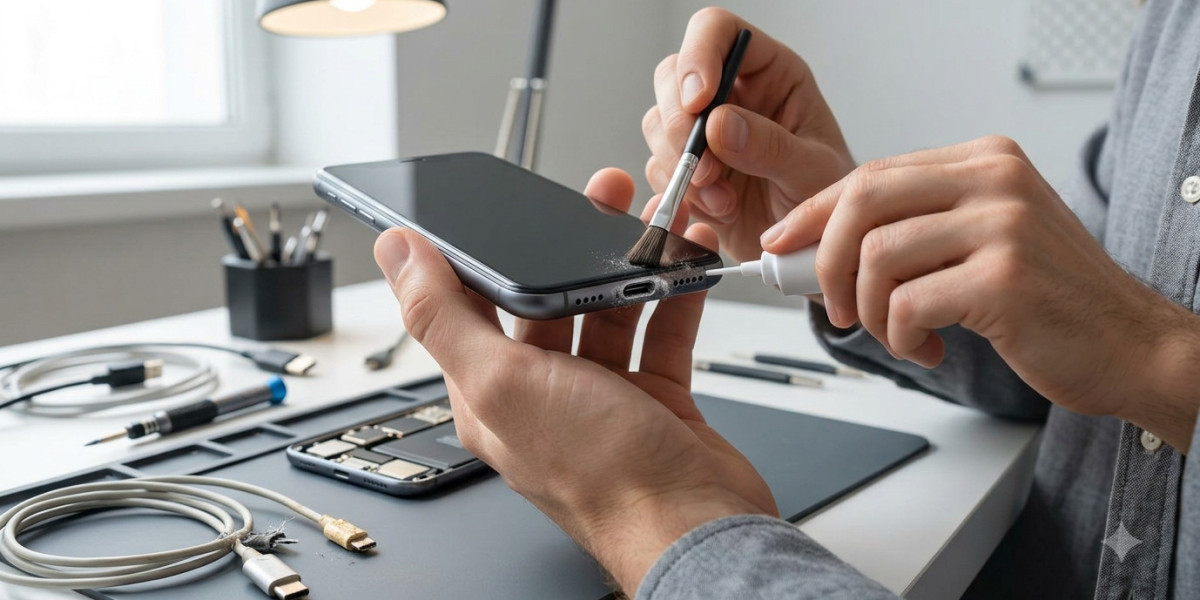

A loose phone charging port can quickly become an annoying problem. You may notice that your charging cable no longer fits securely, charging stops when you move the phone, or the device only charges when the cable is held at a particular angle. What may initially seem like a small inconvenience can eventually prevent your phone from charging properly.
The charging port is one of the most frequently used parts of a smartphone. Every time you connect a charging cable, the port experiences physical contact. Over months or years, dust, lint, repeated plugging and unplugging, accidental drops, and general wear can affect the connection between the cable and the port.
For anyone searching for Cell Phone Repair in Douglasville, GA, understanding why a charging port becomes loose can help you decide whether the issue can be safely addressed at home or whether professional repair is necessary. Mobile Device Techs helps customers with common smartphone problems, including charging issues, damaged ports, battery problems, broken screens, and other hardware concerns.
Whether you need iPhone repair in Douglasville, GA, Samsung Phone Repair Douglasville, GA, or Samsung Tablet Repair in Douglasville, GA, recognizing the warning signs of a damaged charging port can help you avoid further damage and keep your device working reliably.
What Does a Loose Charging Port Mean?
A charging port is designed to hold the charging connector firmly enough to maintain a stable electrical connection.
When the port becomes loose, the cable may move excessively or fail to remain connected.
You might experience symptoms such as:
- The charging cable falls out easily.
- Charging stops when the phone is moved.
- The phone charges only at certain angles.
- The cable feels unusually loose inside the port.
- Charging repeatedly starts and stops.
- Fast charging no longer works consistently.
- You need to hold the cable in a specific position.
These symptoms can be caused by debris, cable damage, physical wear, or damage to the charging port itself.
1. Dust and Lint Inside the Charging Port
One of the most common causes of a loose-feeling charging port is debris.
Phones are frequently placed inside pockets, bags, purses, desks, and other environments where dust and lint can accumulate.
Over time, small particles can become compressed inside the charging port.
This prevents the charging connector from reaching its proper position.
The result may feel like a loose port even though the port itself has not been seriously damaged.
How to Fix It
Inspect the charging port using a bright light.
If you can see visible debris, cleaning may help.
However, charging ports contain delicate components, so avoid forcing sharp metal objects into the opening.
Do not use excessive pressure or attempt to scrape internal contacts aggressively.
If you are unsure how to clean the port safely, professional inspection is a better option.
2. The Charging Cable May Be Worn or Damaged
Sometimes the charging port is not the problem.
Charging cables can become worn after repeated use.
A damaged connector may no longer fit correctly inside the port.
Try a known-good, compatible charging cable.
If the new cable fits securely and charging works normally, the original cable may have been the source of the problem.
This simple test can help you avoid unnecessary phone repairs.
3. Frequent Plugging and Unplugging Causes Wear
Smartphone charging ports are designed for repeated use, but they are not immune to wear.
Connecting and disconnecting a cable multiple times every day can gradually wear down components.
Pulling the cable out at an angle can increase stress on the port.
Over time, the connection may become less secure.
How to Reduce Wear
Always insert the charging cable straight into the port.
Avoid twisting or bending the connector while it is plugged in.
When removing the cable, hold the connector rather than pulling aggressively on the cable itself.
These simple habits can reduce unnecessary stress.
4. The Phone Has Been Dropped
A physical impact can damage a charging port.
If your phone falls while a charging cable is connected, the cable can act as a lever and put pressure on the port.
A hard impact may bend or loosen internal components.
If the charging problem began immediately after dropping the phone, physical damage is a strong possibility.
In this situation, repeatedly forcing the cable into the port may make the problem worse.
5. Liquid Damage Can Affect the Charging Port
Moisture can damage charging components and create corrosion.
Even small amounts of liquid can potentially affect electrical contacts.
Liquid exposure may cause symptoms such as:
- Intermittent charging
- Slow charging
- A loose or unreliable connection
- Charging warnings
- Device overheating
- Complete charging failure
If your phone has recently been exposed to water or another liquid, do not continue plugging in the charger repeatedly.
Professional inspection can help determine whether moisture has affected the port or other internal components.
6. The Charging Port Itself May Be Damaged
Sometimes the port has suffered actual physical damage.
Internal pins or connection points can become bent, worn, or damaged.
In this situation, changing the cable or cleaning the port may not solve the problem.
A technician may need to inspect the port and determine whether it can be repaired or needs replacement.
7. Using the Wrong Cable
Not every charging cable is manufactured to the same standard.
A poor-quality or damaged cable may fit poorly and create an inconsistent connection.
Using a compatible, reliable cable can help determine whether the issue is related to the accessory or the phone.
If multiple compatible cables all feel loose, the phone's port becomes a more likely source of the problem.
8. Charging While Using the Phone
Using your phone heavily while it is charging can place stress on the charging cable and port.
For example, holding a phone horizontally while gaming with the cable connected can cause the connector to bend or move.
Repeated movement can eventually contribute to wear.
Whenever possible, place the phone on a stable surface while it is charging.
How to Check Whether Your Charging Port Is Loose
You can perform a few basic checks without opening the phone.
Step 1: Try Another Cable
Use a known-good compatible charging cable.
If the new cable fits securely, the original cable may be worn.
Step 2: Inspect the Port
Use a light to look inside the charging port.
Check for visible dust, lint, or debris.
Step 3: Test Charging
Connect the cable and observe whether charging remains stable.
Gently moving the phone—not deliberately forcing or bending the cable—can help reveal whether the connection is intermittent.
Step 4: Test Another Charger
A different compatible power adapter can help rule out charger-related problems.
Step 5: Monitor Charging Speed
If charging is significantly slower than usual, there may be an issue with the cable, adapter, port, battery, or charging system.
Should You Clean a Loose Charging Port Yourself?
If the problem is simply debris, careful cleaning may help.
However, charging ports are small and contain delicate components.
Avoid using:
- Needles
- Paper clips
- Knives
- Metal pins
- Excessive compressed air
- Liquids
A sharp metal object can damage internal contacts or cause an electrical short.
If debris is deeply packed inside the port, professional cleaning is safer than aggressive DIY methods.
How to Fix a Loose iPhone Charging Port
If an iPhone charging port feels loose, begin by checking the cable.
Try another compatible cable and inspect the charging port for debris.
Restart the phone and test charging again.
If multiple cables fit loosely or charging repeatedly disconnects, the port may have physical damage or internal wear.
For customers looking for iPhone repair in Douglasville, GA, professional inspection can help identify whether the charging port needs cleaning, repair, or replacement.
How to Fix a Loose Samsung Phone Charging Port
Samsung phones may use different charging technologies and connector designs depending on the model, but many modern devices use USB-C.
If the connector feels loose, check the cable first.
Inspect the port for lint or debris and test another compatible charger.
If the problem continues with multiple cables, the charging port may require professional evaluation.
Customers searching for Samsung Phone Repair Douglasville, GA can seek professional assistance when basic troubleshooting does not solve the problem.
What About a Loose Samsung Tablet Charging Port?
Tablets are often charged with the cable connected for long periods.
Because tablets are larger than phones, moving them while the charging cable is connected can place additional strain on the connector.
If your Samsung tablet has a loose charging port, inspect the cable and port carefully.
Avoid forcing the connector into place.
If charging remains intermittent, professional Samsung Tablet Repair in Douglasville, GA may be appropriate.
When Should You Get Professional Charging Port Repair?
Professional repair is recommended when:
- Multiple cables fit loosely.
- Charging stops when the phone moves.
- The port appears physically damaged.
- The device has suffered a drop.
- The phone has experienced liquid exposure.
- Charging repeatedly starts and stops.
- The device becomes hot while charging.
- The phone will not charge at all.
- Cleaning does not resolve the issue.
A technician can inspect the charging port and determine whether the problem is caused by debris, mechanical damage, internal connections, or another component.
Can a Loose Charging Port Be Repaired?
In many cases, charging problems can be addressed.
The appropriate solution depends on the condition of the port.
If debris is causing the problem, professional cleaning may be sufficient.
If the port is physically damaged, a repair or replacement may be necessary.
If the battery or charging circuitry is responsible, repairing the port alone may not solve the problem.
That is why proper diagnosis is important before replacing components.
How to Prevent Charging Port Damage
You can reduce the risk of future charging-port problems by following a few habits.
Keep the Port Clean
Avoid allowing dust and lint to build up inside the port.
Use Quality Charging Accessories
Use compatible, reliable cables and chargers.
Insert the Cable Carefully
Connect and disconnect the cable straight rather than at an angle.
Avoid Pulling on the Cable
Hold the connector when removing it.
Avoid Heavy Phone Use While Charging
Minimize activities that cause the cable to bend or move repeatedly.
Keep Liquids Away
Protect your phone from water and other liquids while charging.
Do Not Force the Connector
If a cable does not fit easily, stop and inspect the port rather than pushing harder.
Final Thoughts
A loose phone charging port can be caused by something as simple as accumulated lint or a worn charging cable, but it can also indicate physical damage, corrosion, or internal wear. Testing another compatible cable and carefully inspecting the charging port are good first steps.
If the cable remains loose with multiple chargers, charging repeatedly disconnects, or the phone has experienced a drop or liquid exposure, professional inspection is a safer choice. Avoid using sharp objects to clean the port because doing so can damage delicate internal components.
For customers searching for Cell Phone Repair in Douglasville, GA, Mobile Device Techs can help diagnose persistent charging problems and determine the appropriate repair. Whether you need iPhone repair in Douglasville, GA, Samsung Phone Repair Douglasville, GA, or Samsung Tablet Repair in Douglasville, GA, addressing charging-port problems early can help prevent additional damage and keep your device charging reliably.