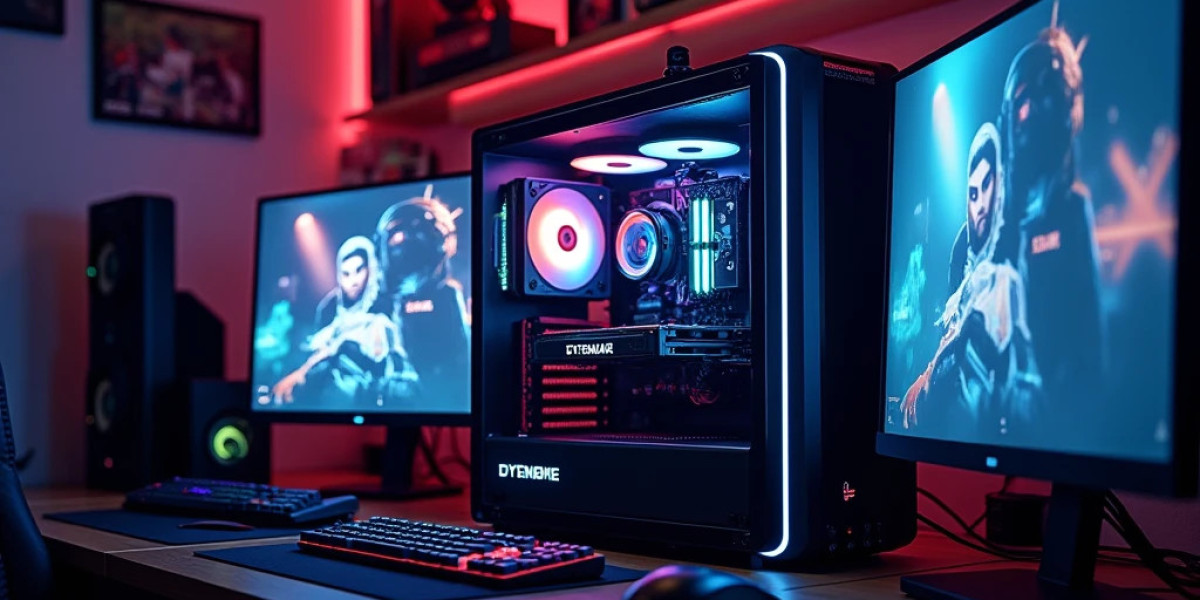

Choosing your first gaming computer can feel complicated because every PC seems to promise impressive performance. The reality is that you do not need the most expensive hardware to enjoy PC gaming. What matters is finding a configuration that suits the games you play, the monitor you use, and the amount you want to spend.
A sensible system should also include suitable cooling, enough memory, practical storage, and a reliable power supply rather than concentrating the entire budget on one impressive component. Whether you are moving from console gaming, replacing an old desktop, or buying your first gaming computer, understanding the role of each part can help you make a confident purchase without paying for hardware that does not match your actual needs.
What Should an Entry-Level Gaming PC Actually Offer?
An entry-level gaming PC is designed to give new or budget-conscious players a practical starting point. It does not mean purchasing outdated hardware or accepting poor performance. Instead, it means deciding which features matter most and spending your budget accordingly.
The ideal configuration depends heavily on the games you play. Competitive games may place greater importance on consistent frame rates, while visually demanding single-player games can require more graphics capability.
Your monitor also matters. A computer intended for 1080p gaming has different requirements from one designed around 1440p or 4K.
This is why the best starter PC for one gamer may not be the right choice for another.
Start With Your Gaming Requirements
Before comparing specific computers, think about your normal gaming habits.
Do you mainly play esports titles? Do you want to enjoy modern AAA games? Will you use the computer for streaming, editing, school, work, or general entertainment?
Answering these questions gives you a clearer idea of where your budget should go.
For example, a gamer who primarily wants smooth 1080p gameplay does not necessarily need a graphics card designed for demanding 4K workloads. Spending the difference on a better monitor, additional storage, or future upgrades may provide more practical value.
The Graphics Card Is a Major Part of the Build
The graphics card has a significant influence on gaming performance because it handles much of the visual workload.
When comparing an Entry level gaming PC UAE, look at the actual GPU model rather than simply seeing the word “gaming” in the product description.
Consider the resolution you want to play at, the games you enjoy, the graphics settings you prefer, and whether you want access to features such as ray tracing or modern upscaling technologies.
You should also check the amount of graphics memory available. Newer games can become increasingly demanding, so choosing a GPU with sensible specifications can make the system more useful for longer.
Choosing a Processor That Fits Your Budget
The CPU is another important part of a gaming computer, but buying the most expensive processor is not automatically the right decision.
A modern mainstream CPU can provide plenty of performance for a budget-oriented gaming system when paired with an appropriate graphics card.
Your processor choice should also reflect what you do outside gaming. If you regularly stream, edit videos, use creative applications, or multitask heavily, you may benefit from allocating more of your budget toward CPU performance.
For shoppers looking for the Best Entry level gaming PC in UAE the right choice should offer dependable gaming performance while keeping the door open for future upgrades.
How Much RAM Should You Look For?
RAM allows your computer to keep games and other applications readily available while they are running.
Gaming today often involves several programs operating together. You might have a browser, voice-chat application, game launcher, music player, or recording software open while playing.
For that reason, adequate memory is an important consideration when selecting an Entry level gaming PC in UAE.
Also check how the memory is configured. A compatible dual-channel setup can be preferable to simply looking at the total capacity number. If you expect your needs to increase, check whether the motherboard has room for a future memory upgrade.
Don't Ignore Storage Capacity
A gaming computer can run out of storage surprisingly quickly. Modern games, updates, recordings, and applications can occupy substantial space.
An SSD is a sensible choice for a modern gaming setup because it can make everyday operation feel responsive and reduce waiting when launching applications or accessing files.
However, capacity matters too. A very fast drive with limited space may become frustrating if you have a large game library.
When comparing an affordable gaming PC, consider how many games you want installed simultaneously and whether the computer will also be used for work, study, media, or content creation.
Cooling Matters in the UAE
A gaming PC produces heat, particularly when the processor and graphics card are under sustained load. The cooling system should therefore be considered before purchasing the computer.
The case should allow air to move effectively, while the CPU cooler and case fans should be appropriate for the selected hardware.
For a gaming PC in the UAE, thermal planning deserves particular attention because the surrounding environment can influence how easily a system manages heat. Good airflow and regular dust maintenance can help keep the cooling system working effectively.
You do not necessarily need an elaborate cooling setup. What matters is using an appropriate cooler and designing the airflow around the actual components.
A Reliable Power Supply Is Essential
The PSU may not affect your frame rate directly, but it powers the entire computer and should not be treated as an afterthought.
Check that the power supply has sufficient capacity for the CPU, GPU, storage, cooling, and other components. The required connectors should also match the hardware being installed.
If you expect to upgrade the graphics card later, consider that when selecting the PSU. A little planning at the beginning can prevent another replacement when you decide to improve the computer.
Custom Gaming PC or Pre-Built?
Both options can work for an entry-level gamer.
A custom PC gives you more control over the components. You can decide which areas deserve more of your budget and avoid paying extra for features that do not matter to you.
A pre-built system can be convenient if you want a ready-to-use computer without assembling individual parts yourself. However, you should still inspect the complete specification before purchasing.
Do not judge a gaming PC solely by its processor or graphics card. Check the motherboard, RAM, SSD, power supply, cooling solution, and case as well.
What Makes a Gaming PC a Good Long-Term Purchase?
A good starter computer should not only work well when you first buy it. It should also give you reasonable opportunities to improve it later.
A user might eventually add another storage drive, increase memory, replace the GPU, or improve cooling. The motherboard and case should therefore provide enough compatibility and space for the upgrades you are likely to make.
This is one reason why buying an extremely cheap configuration can sometimes become expensive in the long run. If every important component has to be replaced during the first upgrade, the initial saving may not provide much practical value.
Benefits of Choosing the Right Entry-Level Gaming PC
A properly selected gaming PC can give beginners several useful advantages. You can enter PC gaming without immediately investing in enthusiast-level hardware, while still having access to a broad range of games and applications.
A desktop also provides more flexibility than a fixed gaming platform because individual components can be replaced as your requirements change. You can gradually improve graphics performance, storage, memory, or cooling instead of purchasing an entirely new computer.
Another benefit is versatility. The same gaming PC for beginners can be used for study, office work, browsing, streaming, content creation, and other everyday activities.
Where Hextech Computer Fits Into Your Search
When comparing gaming computers, it helps to discuss your actual requirements rather than simply asking for the most powerful machine within a budget. Hextech Computer can be considered when exploring different gaming PC configurations and deciding which hardware combination fits your intended use.
Before selecting a system, provide information such as your preferred games, monitor resolution, approximate budget, and whether you want to upgrade later. This creates a more useful starting point for comparing configurations.
For anyone researching the Best Entry level gaming PC in UAE, the focus should remain on the complete specification and how it matches your gaming habits rather than on a single headline component.
Mistakes to Avoid When Buying a Budget Gaming PC
One common mistake is choosing a computer based almost entirely on the GPU or CPU name. A strong component cannot compensate for an unsuitable power supply, inadequate cooling, limited storage, or poorly matched supporting hardware.
Another mistake is ignoring the monitor. Buying hardware capable of much higher performance than your display can show may not provide the experience you expect.
You should also avoid spending a large portion of a limited budget on RGB lighting, decorative accessories, or an oversized case while compromising important internal components.
Before purchasing, check compatibility, dimensions, cooling, power requirements, storage capacity, and upgrade options.
FAQs
What is the best entry-level gaming PC in the UAE?
There is no single configuration that is ideal for every gamer. The appropriate choice depends on your budget, games, monitor resolution, performance expectations, and plans for future upgrades. Comparing the complete hardware specification is more useful than choosing a PC based on one component.
Is an entry-level gaming PC good for 1080p gaming?
A properly configured entry-level gaming PC can be well suited to 1080p gaming. The actual results depend on the graphics card, processor, game, graphics settings, and monitor refresh rate.
Can Hextech Computer help me choose an entry-level gaming PC?
Hextech Computer can be considered when researching different gaming PC configurations. Sharing your preferred games, budget, monitor, and upgrade plans can help narrow the options to a configuration that fits your requirements.
Conclusion
Finding the Best Entry level gaming PC in UAE is less about finding one universally perfect computer and more about choosing hardware that makes sense for your own gaming habits. A suitable graphics card, capable processor, adequate RAM, useful SSD capacity, dependable power supply, and sensible cooling should all work together as one system. You should also think about what you may want from the computer a year or two after buying it. With careful planning, an entry-level gaming PC can provide an enjoyable introduction to PC gaming without forcing you to spend money on hardware you do not currently need. Most importantly, compare complete specifications, focus on your actual requirements, and choose a system that gives you both useful performance today and practical upgrade possibilities for tomorrow.