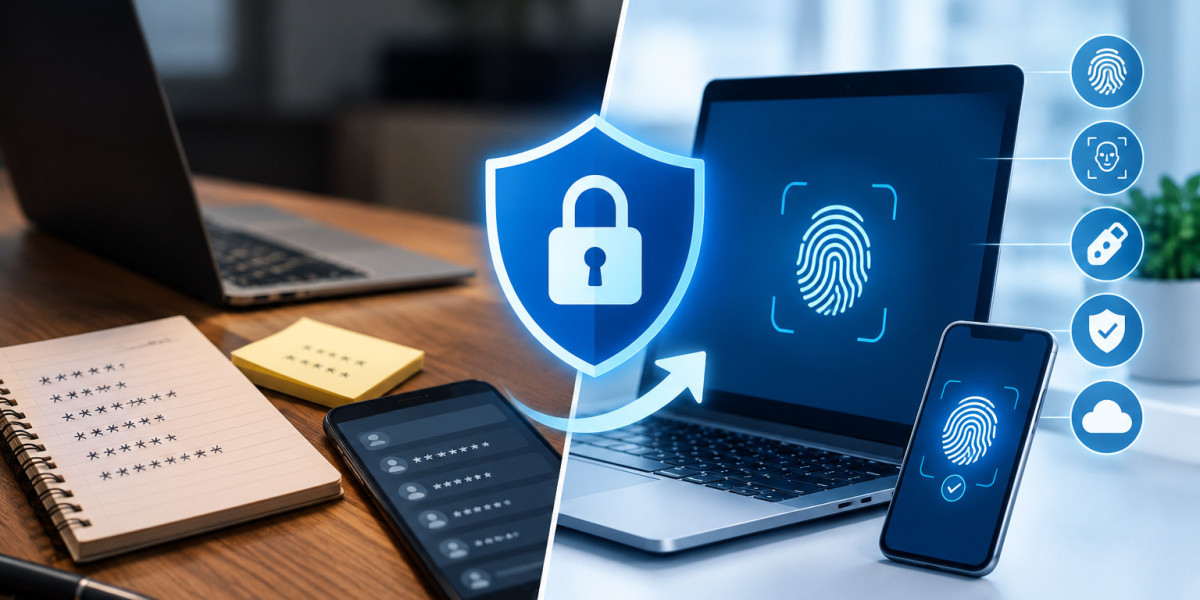

For years, people relied on easy-to-remember passwords and reused them across accounts. That no longer works when threat actors run AI-powered phishing and social engineering campaigns. In 2026, secure password management replaces outdated habits with biometrics, passkeys, hardware tokens, and one-time codes. Together with multi-factor authentication (MFA), these form an essential cybersecurity baseline.
Traditional practices hide risks like forgotten accounts and reused credentials, and these create blind spots for attackers. This article compares modern Password Management Solutions with conventional approaches on security, ease of use, and reliability, so you can see which one protects better.
What Is Secure Password Management?
Secure password management is the systematic control of digital identities through centralized, encrypted environments. Modern systems replace human memory with cryptography and use zero-knowledge architecture, so the provider cannot see your data. Key components include:
AES-256 vault encryption, which is practically unbreakable by brute force.
Argon2 and bcrypt, which turn passwords into unique, irreversible strings.
Isolated credential vaults that block unauthorized access.
MFA and role-based access control managed through identity platforms.
Observation of global login patterns shows that 82% of breaches involve credential stuffing on poorly managed accounts. Autofill also reduces security fatigue and keeps environments secure.
Traditional Password Methods
Traditional methods rely on manual creation, spreadsheets, browser-saved passwords, and paper notebooks. Users typically keep three to five base passwords and reuse them everywhere. Once a device connects to a network, unencrypted spreadsheets and browser-saved passwords become easy targets for automated attacks.
In organizations, informal habits make things worse and make access hard for IT teams to track:
Sharing passwords through social media platforms
Writing passwords on paper or at work desks
Leaving passwords visible in shared documents
Using predictable password patterns
Modern Tools vs Traditional Methods
Traditional methods focus on preventing initial access. Modern password management solutions manage the entire credential lifecycle, including what happens after a breach.
Factor | Traditional Methods | Secure Password Management Tools |
Encryption | None or limited | AES-256, zero-knowledge |
Breach response | Manual password changes | Breach alerts, automated updates |
Phishing resistance | Low | Passkeys and domain matching |
Scalability | Unsafe beyond small teams | Thousands of users |
Recovery | Physical loss means permanent loss | Encrypted backups, emergency access |
Compliance | Hard to audit | Audit logs, real-time reports |
Ease of use: Many people stay with old habits because they seem easier. In fact, modern tools reduce friction with autofill, encrypted syncing across devices, and sharing access without revealing the actual password.
Reliability: Vendor dependency is a real risk if a provider is breached. Legacy methods are no safer, though, since damage or theft can mean permanent loss of access. Managed systems offer encrypted backups and emergency access controls.
Cost: The global average cost of a credential breach is $4.44 million in 2026, and it jumps to $10.22 million in the US. Password managers cost far less than breach recovery. They also set up vaults for thousands of employees quickly and integrate with Single Sign-On (SSO) and Identity and Access Management (IAM).
Compliance: Regulations such as NIS2, GDPR, and HIPAA require continuous security monitoring and control. Modern vaults generate real-time reports and help enforce the Principle of Least Privilege (PoLP). Regulators treat unencrypted files and plain-text passwords as a failure to take reasonable security measures.
Safe Transition from Traditional to Modern Methods
Start small and avoid moving everything at once:
Review email history to find unused or risky logins.
Install a password manager, move critical accounts first, and permanently destroy any notebook of passwords.
Store recovery codes in a physical safe space.
Consider managed identity services for professional-grade security.
How Managed Identity Services Deliver Enterprise-Grade Security
Outsourced managed identity services strengthen access control and help organizations, including healthcare institutes, meet rules like HIPAA, which demand stronger systems than personal password managers. Providers reduce vendor lock-in, integrate across multiple systems, and commit to service levels through SLAs. They use AI and automation to detect hidden risks and can lower internal IT workload and operational costs.
Conclusion
Secure password management moves organizations from manual, memory-based habits to automated lifecycle security. Traditional methods bring weak controls, slow responses, and poor scalability. Managed Identity Services add expert support while cutting effort and cost.
Improve your security posture with near-zero effort protection. Partner with CyRx360 for managed identity and password management solutions, with 24/7/365 protection from cyber threats.
Frequently Asked Questions (FAQs)
1. What is a password management tool?
It stores and manages credentials in an encrypted vault, generates strong passwords, and gives authorized users easy access. This reduces password reuse and breach risk.
2. Why are traditional methods not very secure?
They depend on manual storage and human memory, which encourages reuse. They also lack encryption and centralized control.
3. How do password managers support compliance?
They provide audit logs, access controls, and real-time reporting, which help meet regulatory standards and simplify audit preparation.
4. Can password managers prevent phishing attacks?
Yes. Passkeys and domain matching mean credentials are only filled in on trusted sites.