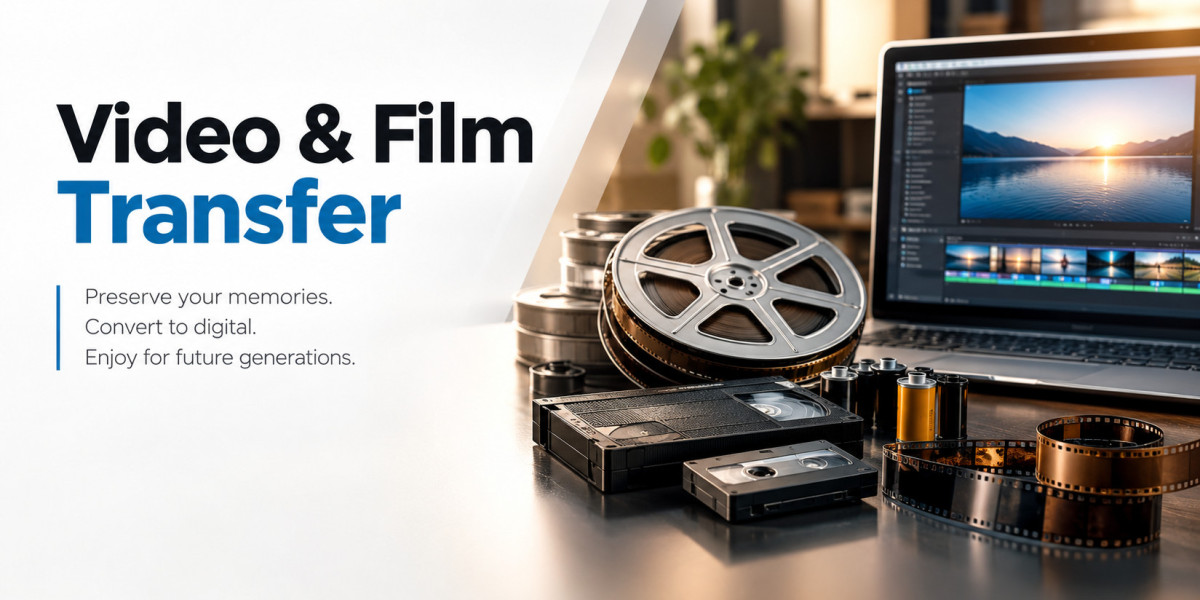

Old home movies rarely announce when they start deteriorating. A VHS tape may look perfectly normal on a shelf while the picture quality slowly declines. An 8mm film reel may stay inside its original box for decades, yet dust, moisture, heat, and age can gradually affect the images stored on it.
We often speak with families and organizations that wait until they find an old camcorder tape, film reel, or box of home movies during a move, estate cleanup, or family gathering. At that point, the concern quickly changes from “What is on this?” to “Can we still save it?”
Professional Video & Film Transfer helps convert aging analog recordings into modern digital files that people can view, organize, copy, and preserve more easily. The process sounds straightforward, but the condition of the original media, playback equipment, transfer method, resolution, file format, and handling practices can all affect the final result.
This guide explains what video and film transfer involves, what formats people commonly convert, what quality factors matter, and how to prepare valuable recordings before handing them over for digitization.
What Video And Film Transfer Actually Means
Video and film transfer converts recordings stored on older physical media into a modern digital format.
The process may involve videotapes such as VHS or MiniDV, or motion-picture film such as 8mm and Super 8. Each format requires different playback equipment and handling methods, so a professional transfer workflow needs more than one machine and a basic recording device.
Video Transfer Converts Magnetic Tape Recordings
VHS, VHS-C, Hi8, Video8, Digital8, MiniDV, and similar formats store recordings on magnetic tape. To transfer them, technicians use compatible playback equipment and capture the video signal into a digital system.
The condition of the tape and playback deck matters. Old tapes can suffer from dirt, weakened tape material, tracking problems, wrinkles, mold, or physical damage. A poorly maintained machine can make those problems worse.
We recommend avoiding repeated playback when a tape shows obvious damage. Every unnecessary run through an old deck adds mechanical stress to media that may already have become fragile.
Film Transfer Handles Physical Motion-Picture Film
Film works differently from videotape. Formats such as 8mm, Super 8, and 16mm contain individual photographic frames rather than magnetic video signals.
A quality film transfer workflow captures those frames digitally while protecting the original reel. Good lighting, frame alignment, focus, exposure, and careful film handling all influence the result.
Families often assume a film reel has survived simply because the reel still looks intact. Unfortunately, age can affect color, contrast, flexibility, and the physical film base long before obvious damage appears.
Why Old Video And Film Need Attention Before They Fail
People often postpone digitization because the recordings have already survived for twenty, thirty, or forty years. That history can create a false sense of security.
Analog media does not remain unchanged forever. Heat, humidity, dust, poor storage, magnetic deterioration, chemical changes, and repeated playback can gradually reduce recording quality.
Aging Tapes Can Lose Picture And Sound Quality
Magnetic videotape depends on a thin recording layer that stores picture and sound information. Age and environmental conditions can affect that layer.
Common symptoms include:
Picture noise or horizontal lines
Audio distortion
Tracking problems
Color changes
Dropouts or brief image loss
Tape sticking or mechanical problems
The difficult part comes from unpredictability. Two VHS tapes stored in the same box can age very differently.
Film Can Fade, Shrink, Or Become Brittle
Film faces different preservation risks. Old reels may show faded colors, dust, scratches, warping, brittleness, or chemical deterioration.
These issues make careful handling especially important. Our film preservation guide explains why transferring older home movies sooner can help preserve access to footage before further deterioration makes recovery more difficult.
Digital conversion cannot reverse every form of physical damage. It can, however, capture the surviving visual information and give families a practical way to protect access to it.
Common Video And Film Formats You Can Digitize
One of the first questions people ask concerns format compatibility. Many households own several generations of recording media because camera technology changed repeatedly from the 1960s through the early 2000s.
Understanding the format helps determine the right transfer equipment and workflow.
Common Videotape Formats
Frequently transferred tape formats include:
VHS
VHS-C
S-VHS
Video8
Hi8
Digital8
MiniDV
Betamax
Camcorder tapes
Some less-common professional and consumer formats may require specialized equipment.
Before choosing a transfer provider, identify as many formats as possible and confirm that the provider has suitable playback equipment. Avoid forcing an unfamiliar tape into a machine just to identify its contents.
Common Film Reel Formats
Common home movie film formats include:
8mm film
Super 8 film
16mm film
Families sometimes find reels without labels, dates, or boxes. An experienced technician can usually identify the format from the reel, film width, sprocket pattern, and physical characteristics.
Keeping reels in their original order also matters. Randomly combining small reels before transfer can destroy the chronological sequence that a family member originally created.
What Happens During A Professional Video Transfer
A careful workflow begins before anyone presses play.
We first look at the physical media, format, labeling, and general condition. This basic inspection helps identify obvious risks and determines which equipment should handle the recording.
The Media Needs A Condition Check
Tapes with broken shells, visible mold, loose tape, or other physical damage require extra attention. Film may also need inspection for damaged splices, brittle sections, dust, or deterioration.
This step matters because playback equipment cannot compensate for every physical problem.
The safest approach focuses on protecting the source first and capturing the content second.
Compatible Equipment Plays The Original Recording
Older formats require machines that match the original media. A MiniDV tape needs different equipment from VHS, while 8mm film requires an entirely different capture process.
Equipment condition also affects the transfer. Dirty heads, poor alignment, worn components, or unstable playback can introduce problems that do not exist on the original recording.
For that reason, the machine matters almost as much as the capture software.
The System Captures The Recording Digitally
Once playback runs correctly, the transfer system captures the image and sound into digital storage.
The final file format depends on how the customer plans to use the footage. Some people mainly want easy viewing, while others want higher-quality archival files for editing or long-term storage.
A thoughtful workflow considers both goals rather than creating one oversized file for everyone.
Film Scanning And Video Capture Are Not The Same
People sometimes use “video transfer,” “film transfer,” and “film scanning” interchangeably. The processes share the same preservation goal, but the underlying technology differs.
Videotape contains an electronic recording that a deck reads during playback. Film contains visible photographic frames that a scanner or transfer system captures.
Frame-By-Frame Film Scanning Offers More Control
Modern film scanning systems can capture individual frames rather than projecting the film onto a wall or screen and recording that projection with another camera.
Frame-based capture can provide better control over focus, exposure, image stability, and detail.
The quality still depends on the source material. A high-resolution scanner cannot recreate details that fading, poor exposure, or physical damage already removed from the original reel.
Video Quality Depends Heavily On Playback
With analog videotape, a high-resolution digital file does not automatically create a better picture.
VHS, for example, contains limited original image detail. Saving that recording inside a very large digital file does not magically add information.
Good transfer work focuses on extracting the cleanest practical signal from the original media rather than using resolution numbers as marketing language.
Choosing The Right Digital File Format
The best file format depends on what you plan to do with the transferred footage.
A family that wants easy television and smartphone playback has different needs from someone who plans to edit an archive professionally.
MP4 Works Well For Everyday Viewing
MP4 offers convenient playback across computers, phones, tablets, smart televisions, and many cloud platforms.
It also provides practical file sizes, which makes copying and sharing easier.
For most families who simply want access to old home movies, MP4 often provides a sensible balance between quality and convenience.
Higher-Quality Files Help With Editing And Archiving
Customers who plan to edit footage or build a long-term archive may want less-compressed master files in addition to smaller viewing copies.
These files require more storage but retain more information for future processing.
We usually recommend separating the ideas of a preservation master and an everyday viewing copy. That approach keeps the archive flexible without making every family member handle extremely large files.
How Much Can Transfer Improve Old Footage?
This question needs a realistic answer.
Digitization can improve accessibility and sometimes allow useful image adjustments, but it cannot transform poor source footage into modern high-definition video.
Transfer Preserves What The Original Media Still Contains
A good transfer workflow aims to capture as much surviving information as the source allows.
Technicians may improve viewing through careful adjustments to brightness, contrast, color, framing, or audio levels when appropriate.
However, restoration has limits. Severe blur, missing frames, damaged tape sections, or badly faded film may leave information that no software can reconstruct accurately.
Avoid Services That Promise Unrealistic Restoration
Customers sometimes see demonstrations where old footage suddenly looks like newly recorded 4K video.
Modern processing tools can reduce noise, sharpen images, stabilize movement, or enhance certain details, but aggressive processing can also create artificial textures and faces.
For meaningful family archives, accuracy usually matters more than dramatic enhancement.
How To Prepare Your Tapes And Film Reels For Transfer
A little preparation can make a transfer project much easier to organize.
You do not need to inspect every second of footage yourself. In fact, repeated playback at home may create unnecessary risk.
Label Everything Before Sending It
Use simple identifiers such as:
“Family Christmas 1989”
“Grandparents Anniversary”
“California Trip VHS 03”
“Super 8 Reel 5”
Labels help maintain context during transfer and make final file organization much easier.
If the original label has historical value, leave it intact and add a separate note rather than writing over it.
Keep Reels And Tapes In Their Existing Order
Avoid rearranging recordings based on guesses about dates.
Original boxes, handwritten notes, reel numbers, and tape labels often provide useful clues about chronology.
We see organization become much more difficult when people remove every reel from its container and combine everything into one unlabeled box.
Do Not Clean Fragile Media With Household Products
Household cleaners, alcohol, cloths, compressed air, and improvised tools can damage film or tape.
If media looks moldy, brittle, sticky, or physically damaged, stop handling it unnecessarily and explain the condition to the transfer provider.
Professional inspection makes more sense than experimenting with a recording that may contain irreplaceable family history.
Common Mistakes People Make With Old Home Movies
The biggest mistake rarely involves choosing the wrong file type. More often, people simply wait too long.
They assume the tapes will remain safe because nobody actively uses them.
Waiting For A Playback Device To Fail
Working VHS decks, camcorders, and specialty video machines grow harder to maintain as manufacturers stop producing parts and technicians retire.
A healthy tape still needs functioning equipment before anyone can access it.
Preserving the media while compatible playback equipment remains available reduces that dependency.
Keeping Only One Digital Copy
Digitization solves one preservation problem but does not eliminate every risk.
Hard drives fail. Computers get replaced. USB drives disappear. Files can also suffer accidental deletion.
We recommend keeping at least two copies in different locations. Many families combine a local hard drive with cloud storage or another physical backup.
Throwing Away Originals Immediately
Do not discard tapes or film as soon as you receive digital files.
First, review the transfer, verify important recordings, check file organization, and confirm your backups.
After that, you can decide whether keeping the originals still makes sense for your family or archive.
How To Choose A Video And Film Transfer Service
Price matters, but it should not become the only decision factor.
These recordings may contain weddings, childhood footage, relatives who have passed away, school events, business history, or community records that nobody can recreate.
Ask How The Service Handles Original Media
A reliable provider should explain its workflow clearly.
Useful questions include:
Which formats can you transfer?
Do you inspect media before playback?
How do you handle damaged tapes or film?
What file formats do you provide?
How do you organize transferred files?
Do you return all original media?
Can you provide higher-quality master files?
How do you handle privacy and customer media?
Clear answers matter more than technical jargon.
Compare The Complete Service Rather Than Price Alone
Very low pricing can look attractive when someone has dozens of tapes, but consider what the service actually includes.
File organization, media handling, transfer quality, equipment, output options, and communication all affect the experience.
A slightly cheaper transfer provides little value if you receive poorly labeled files or discover that important footage received careless handling.
Why Digital Organization Matters After The Transfer
Digitization should make memories easier to access, not create a new pile of confusing files.
Good naming and folder structure can save families hours of frustration later.
Use Descriptive File Names
Instead of names such as:
VIDEO001.mp4
use:
1992_Family_Vacation_San_Diego.mp4
Even approximate descriptions help.
Dates, names, places, and events make digital archives far easier to search and share.
Create More Than One Backup
Think of the transferred files as the new access copy of your family archive.
Keep one working copy for normal viewing and at least one additional backup somewhere else.
For especially important collections, consider three copies across different storage locations.
Frequently Asked Questions About Video And Film Transfer
Can Old VHS Tapes Still Be Transferred After 30 Or 40 Years?
Often, yes. Tape condition matters more than age alone. Some older tapes still play surprisingly well, while newer tapes may show problems because of heat, humidity, poor storage, or physical damage. A technician should inspect questionable tapes before playback.
What Is The Best Digital Format For Old Home Movies?
MP4 works well for most families because modern phones, computers, televisions, and cloud services support it easily. People who plan to edit footage or maintain a preservation archive may also want higher-quality master files.
Should We Transfer VHS Tapes To DVD Or Digital Files?
Digital files usually provide more flexibility today. You can store them on hard drives, cloud services, computers, media servers, and mobile devices. DVDs can still serve specific needs, but digital files make copying, backing up, organizing, and sharing easier.
Is It Better To Transfer Old Film Reels Now Or Wait?
Earlier transfer usually makes more sense when the footage matters to you. Film can fade, collect dust, become brittle, or develop other age-related problems. Waiting rarely improves the physical condition of old media, while timely digitization creates another way to access the surviving footage.
Preserve The Recording Before Access Becomes Harder
Video and film transfer involves more than changing an old recording into a new file format. The process protects access to moments that often exist nowhere else.
We encourage people to start by identifying their formats, preserving the original order, avoiding unnecessary playback, and deciding how they want to use the digital files. From there, the right transfer method should respect the source material, capture it carefully, and provide files that remain practical for years to come.
At Laguna Digital, we approach old media with the understanding that the tape or reel may carry far more personal value than its physical appearance suggests. If you have VHS tapes, camcorder recordings, or film reels sitting in storage, reviewing their condition and transfer options now can help you make an informed preservation decision before age creates additional challenges.